Batch Creating Social Media Posts: A Week of Content Prep
Feb 13, 2026
9 min
Staying consistent on social media doesn't have to mean scrambling for content every single day. How to Batch Create Social Media Posts in 5 Simple Steps transforms weeks of daily posting into a single efficient session that saves you hours each month while maintaining your brand's visibility and engagement.
First, gather 3-4 post ideas per content pillar during a 15-30 minute planning session. Next, write all captions in one sitting to maintain consistency. Then, design posts using pre-made templates in tools like Canva. Schedule everything at once using platforms like Later or Buffer. Finally, protect your batching time by blocking distractions and setting a dedicated content day.
At LevelUp Society & Co., a social media agency Miami businesses rely on, we've watched this approach transform how companies handle their social presence. Start batch creating your content today and reclaim hours of your time.
Key Takeaways
Collect 15-30 minutes of content ideas from Pinterest, Instagram, and notes to avoid starting with a blank page.
Write all captions in one focused session before designing to maintain consistency and reduce mental fatigue.
Design posts using branded Canva templates organized in folders, maintaining consistent colors for cohesive visual identity.
Schedule all content in one session using tools like Later or Buffer to save hours versus daily posting.
Protect batching time by establishing a dedicated day, closing distractions, and using Pomodoro technique for focus.
Gather All Your Post Ideas in One Planning Session
Before you can batch create content, you need a solid collection of post ideas ready to work from. We recommend dedicating 15–30 minutes to gather content ideas before starting your batching process.
Pull from multiple sources like Pinterest, Instagram saves, and your Notes app to find material that resonates with your audience. Keep a running list so you're never staring at a blank page wondering what to post next.
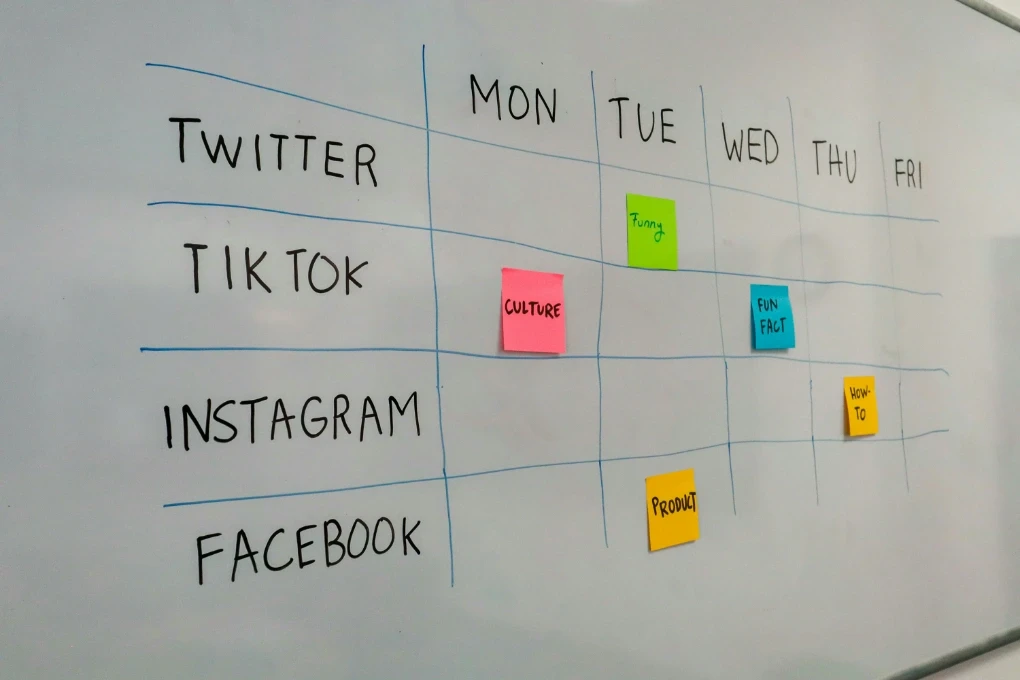
A monthly content calendar helps structure this planning phase effectively. During your session, brainstorm 3-4 ideas for each content pillar you've established.
This approach guarantees your posts align with both your business activities and your followers' interests. By organizing everything upfront, you'll streamline your entire content creation workflow and eliminate last-minute scrambling.
When you create your planning system, start smaller if you're new to batching content. Begin with just two weeks of media posts instead of a full month.
This approach helps you build confidence without feeling overwhelmed by the volume of content you need to produce. During your content prep session, organize your ideas by platform—what works for Instagram might need adjustment for LinkedIn or Facebook.
Use tools like Trello or Notion to categorize ideas by content pillar, making it quick to reference during your actual creation session. The ready-to-use list becomes your creative fuel, ensuring you never waste precious batching day time brainstorming when you should be producing.
Write All Your Captions Before You Design Anything
Once you've collected your content ideas, shift your energy to writing every caption in one focused session. This batching method eliminates the mental strain of switching between writing and design tasks, dramatically improving your content creation efficiency.
When you dedicate time solely to captions, you'll generate ideas faster and maintain consistency across your messaging.
Traditional Approach | Batched Caption Writing |
|---|---|
Write one, design one, repeat | Write all captions first |
Constant task-switching | Single focused session |
Fragmented creativity | Streamlined idea generation |
Inconsistent messaging | Strategic alignment |
Higher mental fatigue | Improved efficiency |
This foundation allows you to tailor captions to specific visuals later, giving you flexibility while ensuring your content remains cohesive and strategically aligned with your audience's needs.
The beauty of caption batching lies in how efficiently you create when you eliminate decision fatigue. Set a timer for 60-90 minutes and power through all your captions without stopping to edit.
This quick drafting method, often called 'brain dumping,' produces more authentic, conversational copy than agonizing over each word. Once you've written everything, take a 10-minute break before returning to edit and refine.
During the editing pass, ensure each caption includes relevant calls-to-action and hashtag strategies. Many successful content creators keep a template document with proven caption formulas—opening hooks, storytelling frameworks, and engagement prompts—that make writing faster.
Reference these templates during your writing session to maintain consistency across your week of planned posts while still allowing room for creativity and personality.
Design Your Posts Using Templates and Brand Colors
With your captions complete, you're ready to design posts that capture attention while protecting your time.
We recommend selecting branded templates that match your aesthetic and organizing them in a dedicated folder for easy access. This approach streamlines your content batching workflow considerably.
Design tools like Canva offer ready-to-use templates you can customize quickly, reducing design time from hours to minutes. The key is incorporating your brand colors consistently across all posts. This creates a cohesive visual identity that strengthens brand recognition.
When you're batching content, you'll simply duplicate your templates, swap out text and images, and adjust colors as needed. This method allows you to produce dozens of polished posts in a single session rather than designing each one individually.
Effective design batching relies on having templates ready before your creation session begins. Spend time upfront building 5-10 template variations in Canva that reflect different post purposes—educational carousels, quote graphics, announcement posts, and promotional templates.
Save these in a dedicated Canva folder with clear naming conventions like 'IG_Carousel_Educational_Template.' When batching content, duplicate your chosen template and customize only the text, images, and minor color adjustments.
This approach maintains your brand consistency while dramatically reducing design time. Consider creating seasonal template variations for holidays or special promotions, ensuring you're ready for any business occasion.
The investment in template creation pays dividends throughout the year, transforming what could be hours of design work into minutes of simple customization during your batch day.
Schedule a Full Month of Content in Under an Hour
After you've designed your content using templates, scheduling an entire month becomes surprisingly efficient when you follow a structured approach. We recommend dedicating one focused session to upload and schedule all your content at once.
This batching method saves you hours compared to posting daily throughout the month.
Here's a practical scheduling framework you can follow:
Week | Content Theme | Post Ideas | Scheduling Day | Platform Priority |
|---|---|---|---|---|
1 | Educational | Tips, tutorials | Tuesday | Instagram, LinkedIn |
2 | Behind-scenes | Team photos | Tuesday | Facebook, Instagram |
3 | User-generated | Customer stories | Tuesday | All platforms |
4 | Promotional | Product launches | Tuesday | Instagram, Twitter |
5 | Engagement | Questions, polls | Tuesday | Facebook, LinkedIn |
Using tools like Later or Buffer, you'll maintain consistent visibility without daily manual effort.
Choosing the right scheduling tools transforms batch content creation from concept to reality. Instagram supports native scheduling for business accounts, while platforms like Later, Buffer, or Hootsuite offer multi-platform capabilities.
During your batching day, upload all your media posts with their corresponding captions, then strategically schedule them based on when your audience is most active. Most scheduling tools provide analytics showing optimal posting times, helping you make data-driven decisions about your content calendar.
Share access with team members if you're collaborating, ensuring everyone stays aligned on the monthly publishing schedule. Set up automation rules within your scheduling platform—for example, automatically posting carousel posts on Tuesdays and quote graphics on Fridays.
This system ensures variety throughout the week without manual intervention, freeing you to focus on other business priorities while your social presence remains consistently active.
Protect Your Batching Time From Distractions
Because distractions can derail even the most well-planned batching session, you need a defense strategy before you sit down to create content.
Start by establishing a dedicated batching day, like "Content Tuesdays," to protect your time for focused work. Close unnecessary tabs and apps on your devices to eliminate digital interruptions that break your creative flow.
If you need help maintaining discipline, use website blockers to prevent access to social media and email during your scheduled sessions.
The Pomodoro technique creates structured work intervals that enhance your concentration. Set timers for focused 25-minute blocks followed by short breaks.
Finally, communicate your batching schedule to colleagues and family members. When others understand your focused work periods, they'll respect your time and minimize interruptions that could fragment your attention.
Successful media batching requires defending your batch day with the same rigor you'd protect client meetings or doctor appointments. Block your chosen batching day on your calendar as 'Content Creation - Do Not Disturb' and treat it as non-negotiable.
Many creators find morning sessions most productive when creative energy is highest, while others prefer afternoon blocks after routine tasks are complete. Experiment to find your optimal time, then stick with it consistently.
Always prep your workspace before your batching day—ensure Canva is loaded, templates are organized, your ideas list is accessible, and your tools are functioning. This preparation makes the actual creation session flow smoothly without technical interruptions.
Consider batching content with an accountability partner who's also working on their social media content, using shared video calls to stay focused while maintaining the energy of working alongside someone else who understands the process.
Frequently Asked Questions
What Is the 5 5 5 Rule for Social Media?
The 5 5 5 Rule means create five content types, post five times weekly, and engage with five followers daily. It's an effective engagement strategy that guarantees content variety while building community connections.
How to Batch Social Media Content?
Plan a content calendar with post themes first, then create everything simultaneously. Schedule dedicated batching sessions, use templates, and repurpose content strategically for maximum efficiency.
What Is the 5 3 2 Rule for Social Media?
The 5-3-2 rule guides content types: five educational posts, three promotional, and two personal per ten posts. Use this framework for effective audience targeting while delivering balanced value without overwhelming followers.
What Are the 5 Steps in Social Media Marketing?
Define your social media strategy, research your audience, create content that drives engagement, select ideal platforms, and implement scheduling with performance tracking. These steps form the foundation for continuous improvement.
How Long Does Batch Creating Social Media Posts Actually Take?
Batch creating social media posts typically requires 3-4 hours for a full month of content. The batching day approach saves 50-75% of your time compared to daily posting while producing higher-quality content.
What's the Best Day of the Week for Batching Content?
Choose a batching day when you have 3-4 uninterrupted hours and high creative energy. The specific day matters less than consistency—block the same day each week so batching becomes a non-negotiable routine.
How Many Social Media Posts Should I Batch at Once?
Start smaller if you're new—aim for 1-2 weeks of posts in your first session. Once comfortable, batch 3-4 weeks of media posts at a time for maximum efficiency while allowing flexibility for trending topics.
What Tools Do I Need for Effective Media Batching?
Essential scheduling tools include Canva for design, Later or Buffer for scheduling, and Notion or Trello for planning. Cloud storage like Google Drive keeps your content assets organized and accessible.
Can I Batch Content for Multiple Social Media Platforms?
Yes, but adapt content for each platform's unique format and audience expectations. Create platform-specific variations during your design phase—a single topic can become an Instagram carousel, LinkedIn article, and Twitter thread.
How Do I Handle Trending Topics When I've Batched Content?
Build flexibility by scheduling only 70-80% of your planned posts, leaving gaps for spontaneous content. Create a *"trending topic template"* in Canva that you can quickly customize when relevant conversations emerge.
What If I Get Stuck During My Batching Session?
Keep a swipe file of inspiration*—saved posts, competitor content, industry examples—that you can reference when creativity stalls. Use the *Pomodoro technique (25-minute sprints with 5-minute breaks) to prevent burnout and creative blocks.
Should I Batch Video Content the Same Way?
Video batching follows similar principles but requires more setup time—record multiple videos in one focused session using the same lighting and background. Edit videos in batches using preset templates for intros, outros, and transitions to speed up the process.
How Do I Maintain Authenticity When Batching Content?
Authenticity comes from your voice and perspective, not from posting in real-time. Write captions in your natural speaking voice and use Stories for real-time engagement that complements your batched feed posts.
What's the Biggest Mistake People Make When Batching?
The biggest mistake is trying to batch too much too soon without proper content prep. Start with proper planning, create templates first, and protect your batching day time to avoid interrupted sessions that create more stress.
Can Batching Work for Small Businesses With Limited Time?
Batching content is actually more valuable for time-strapped small business owners—trading 3-4 hours once monthly for 15 minutes daily saves significant time. Start smaller with weekly batching and focus on one platform initially to prevent overwhelm.
How Do I Know If My Batching System Is Working?
Track metrics before and after implementing batching content—compare time spent on social media management and engagement rates. Successful batching should reduce your weekly social management time by 50-75% while maintaining or improving post consistency.